
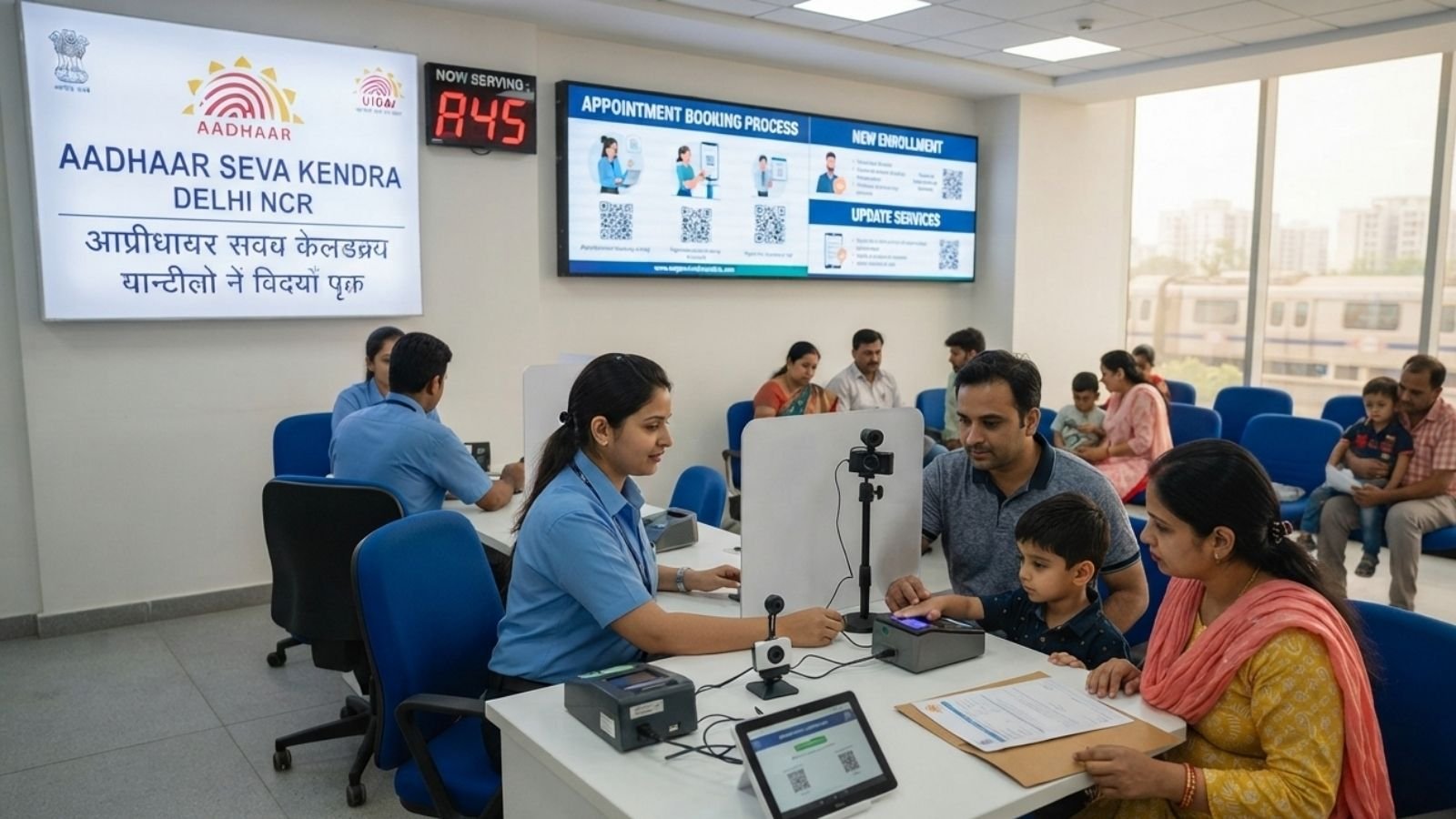
How to Book an Aadhaar Card Appointment in Delhi NCR: A Step-by-Step Guide
Residents of Delhi NCR can completely bypass long physical queues by booking their Aadhaar card appointments online for free through the official UIDAI portal or the mAadhaar mobile application. Whether you need to process a new enrolment for a family member or update your existing demographic and biometric data, securing an advance slot ensures a hassle-free experience at your local Aadhaar Seva Kendra.
This comprehensive utility guide—joining our recent Delhi NCR Government Exam Roadmap and Mega Lok Adalat Settlement Guide—breaks down the exact booking process, official service fees, and key locations across the capital region.
Method 1: Booking via the Official UIDAI Web Portal
The most straightforward way to secure a slot is through your desktop or mobile browser. You do not need a previously registered mobile number to log in and book an appointment.
- Visit the Portal: Go directly to the official UIDAI Appointment Portal.
- Select Your Location: Choose your specific city or location within Delhi NCR (such as Delhi, Noida, Ghaziabad, or Gurugram) from the dropdown list and click Proceed to Book Appointment.
- Log In & Verify: Select the service type (New Aadhaar or Aadhaar Update). Enter your mobile number, solve the captcha, and click Generate OTP. Enter the OTP received on your phone.
- Fill in Details: Enter the required applicant information. If you are updating an existing card, input your Aadhaar number and select the specific fields you need to change (e.g., address, phone number, or photo).
- Choose Center & Slot: Search for a nearby Aadhaar Seva Kendra (ASK) by PIN code or locality. Select an available date and time slot that fits your schedule.
- Confirm & Download: Review your application form details and confirm the booking. Download and print the appointment slip to carry with you to the center.
Method 2: Booking via the mAadhaar Mobile App
For users who prefer managing their documents on their smartphones, the official government app provides a seamless booking interface.
- Log In: Download and open the official mAadhaar app on your smartphone and log in using your 6-digit PIN or biometrics.
- Navigate to Services: Tap the Services tab at the bottom navigation bar, scroll down to “Other Services,” and select Book an Appointment.
- Verification: The app will redirect you to the secure UIDAI Portal. Enter your mobile number or email ID, complete the OTP verification, and choose Center Appointment.
- Complete the Booking: Select your desired Aadhaar service, search for your preferred Delhi NCR center, choose your date and time slot, enter the applicant’s details, and confirm.
Official UIDAI Service Fees
While booking the online slot is completely free, standard government charges apply depending on the service you require at the physical center. These fees are payable directly at the ASK desk.
| Aadhaar Service Type | Official UIDAI Fee |
| New Aadhaar Enrolment | Free |
| Mandatory Biometric Update for Children (Ages 5–17) | Free |
| Demographic Update (Name, Address, DoB, Mobile, etc.) | ₹75 |
| Biometric Update for Adults (Photo / Fingerprints / Iris) | ₹125 |
| Official Aadhaar PVC Card Order | ₹75 |
Important Guidelines for Your Appointment
- Booking Limits: A single individual can book a maximum of 2 appointments per month using the online system.
- What to Carry: Arrive at the chosen center on time. Bring a printed copy of your appointment acknowledgement slip along with your original supporting documents (Proof of Identity, Proof of Address, or Date of Birth proof).
- Physical Presence is Mandatory: Even though details are submitted online, the applicant must physically visit the center because live biometric data (fingerprints, iris scans, and photographs) must be captured on-site.
- Rescheduling & Cancellations: If you cannot make it, you can reschedule or cancel your slot through the myAadhaar Portal. If you cancel a paid appointment, the refund is processed back to your account within 7 to 21 days.
Where to Go: Key Aadhaar Seva Kendras in Delhi NCR
Because biometric updates (like photos) and phone number linking require a live physical scan, you must visit an official center. Below are some of the most prominent, high-capacity Aadhaar Seva Kendras (ASK) directly managed by UIDAI across the capital. Many of these are conveniently located near major Delhi Metro stations for easy transit.
| Center Name | Exact Location | PIN Code |
| ASK Akshardham | Lower Ground Floor, Parsvnath Mall, Akshardham Metro Station | 110092 |
| ASK Kashmere Gate | Ground Floor, Eldeco Junction, Kashmere Gate Metro Station | 110006 |
| ASK Dhaula Kuan | Ground Floor, Dhaula Kuan Metro Station, Enclave-1 | 110010 |
| ASK Inderlok | First Floor, Parsvnath Mall, Inderlok Metro Station | 110035 |
| ASK Mohan Estate | Block B-1, Mohan Cooperative Industrial Estate, Badarpur | 110044 |
To find smaller Enrolment & Update Centers located inside authorized banks or post offices near your specific neighborhood, you can use the official Bhuvan Aadhaar Center Maps portal.
Online Services (Address Updates & Plastic Cards)
If you already have a phone number actively linked to your Aadhaar to receive OTPs, you do not need to visit a physical center for simple address updates or plastic card orders:
- Address Update: You can update your demographic details directly through the myAadhaar Portal by uploading valid supporting documents (like a rent agreement or utility bill). If you have recently moved to a newly constructed DDA apartment, ensure your property documents are digitized before uploading.
- Plastic PVC Aadhaar Card: Do not buy plastic Aadhaar cards from local print shops, as they lack essential security features like secure QR codes and holograms. Instead, order an official, durable plastic card directly through the UIDAI PVC Ordering Service. The government will print it and deliver it directly to your registered address via Speed Post.
